Tuzukuru Logo
thumbnail

blenderでリギング入門

近藤なおき

初心者blenderEevee

Blenderのアドオンを使って、サムネイルのようなSFチックな都市を簡単に構築することができます。 初心者の方にも簡単に制作をすることができるので、是非やってみてください。

レシピ

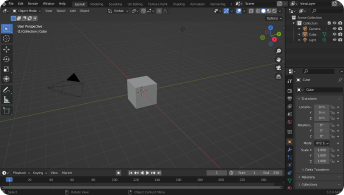
blenderのアイコンをダブルクリックすると、blenderを起動することができます。開くと右のような画面になります。

blender image

立体パネルから立方体を選択します。すると立方体が画面に表示されるのを確認することができます。

[エフェクト]>[変形]>[巨大化]を選択してそれからボタンを押し、パラメータを調整します

パラメータを調整したら、「移動」からX軸を選択するとX軸に沿って立方体を移動することができます

デザレポ
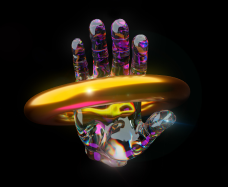
tukurepo sample
tukurepo sample
tukurepo sample
tukurepo sample
tukurepo sample
tukurepo sample
tukurepo sample
tukurepo sample

質問

10件のコメント

  • Remy Sharp
    Brunch this weekend?

    Ali Connors — I'll be in your neighborhood doing errands this…

  • Travis Howard
    Summer BBQ

    to Scott, Alex, Jennifer — Wish I could come, but I'm out of town this…

  • Cindy Baker
    Oui Oui

    Sandra Adams — Do you have Paris recommendations? Have you ever…
他のレシピも見る

blender tutorial sample
illustratorで柔らかいグラフィックを制作
初心者illustratorポスターHPLP丸い
blender tutorial sample
blenderでかわいいシューズを作る